Untitled 1
Software Update/Patch Install Information
Information regarding scheduled releases of computer security and software updates are made available via the daily Campus Announcements.
Announcements for computer security and software updates will outline:
-
What updates are being released to UWSP computers
-
When they will be made available for installation
-
When they will automatically install
UWSP computers which are turned off or not on campus during this scheduled update will begin updating automatically once they are turned on and reconnected with the UWSP network.
Can I install these updates at a time that better fits my schedule?
Absolutely and we highly recommend this to avoid unscheduled restarts. Updates are typically released Thursday afternoons and can be installed any time prior to the Monday morning installation deadline.
Instructions for manually installing updates on both Windows and Macintosh platforms are outlined below.
Windows Computers
Option 1
Updates will be available for installation from an icon in the System Tray.
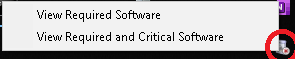
Choose "View Required Software". The following dialog displays.
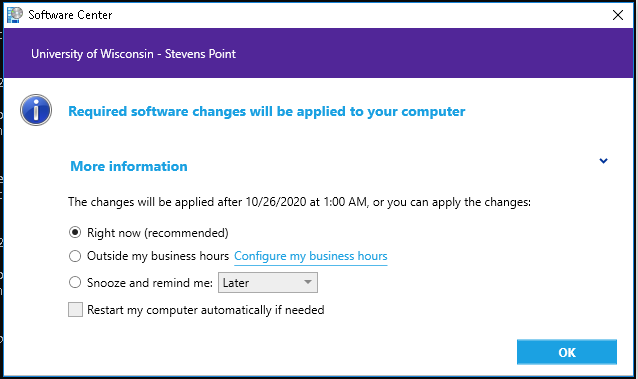
Select OK.
After installation is complete the following system tray icon will indicate a reboot is required.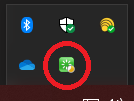
Choosing the green reboot icon will reveal the restart options. Select "Restart Now".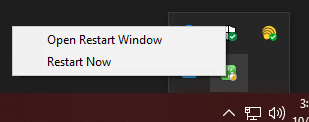
Choosing "View Required and Critical Software" will display the following dialog for Operating System Upgrades (OS). OS upgrades are only availble to those that have not already successfully upgraded. Note: OS upgrades can take 2 - 8 hours.

Option 2: Install from Software Center
Scheduled updates as well as additional software can be easily installed from
Software Center. Go to our Installing Non-SCL Software page for information on how to install updates and additional software.
Apple Computers
Option 1
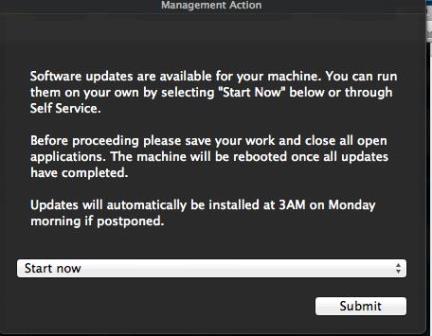
The following notification message box will appear near an upper corner of your screen. To install all the updates immediately select
Start now and click
Submit. To delay the install select your preferred option and click
Submit.
Option 2: Install from Self Service for Mac
Scheduled updates as well as additional software can be easily installed from Self Service for Mac. Go to our Installing Non-SCL Software page for information on how to install updates and additional software.
Questions? Ask the Service Desk!
 Skip to main content
